Tutorials
Real screenshots, plain steps — everything you need to run your first bingo night without getting lost. Ten minutes and you'll know the whole app.
1 · Put the board on your TV
- Log in — the first time, the app simply asks "What would you like to do first?" Choose 📺 Put the board on a TV and it points you at the right button.
- Plug your laptop into the TV with an HDMI cable.
- Press the big 📺 Open the TV display button (step 1 on your control panel). A clean board window opens — no buttons on it.
- Drag that window onto the TV and click it once — it fills the screen. Your controls (and your mouse) stay private on the laptop.
- Only one screen? Press Win + P → Duplicate so the TV mirrors your laptop, then press F for fullscreen.
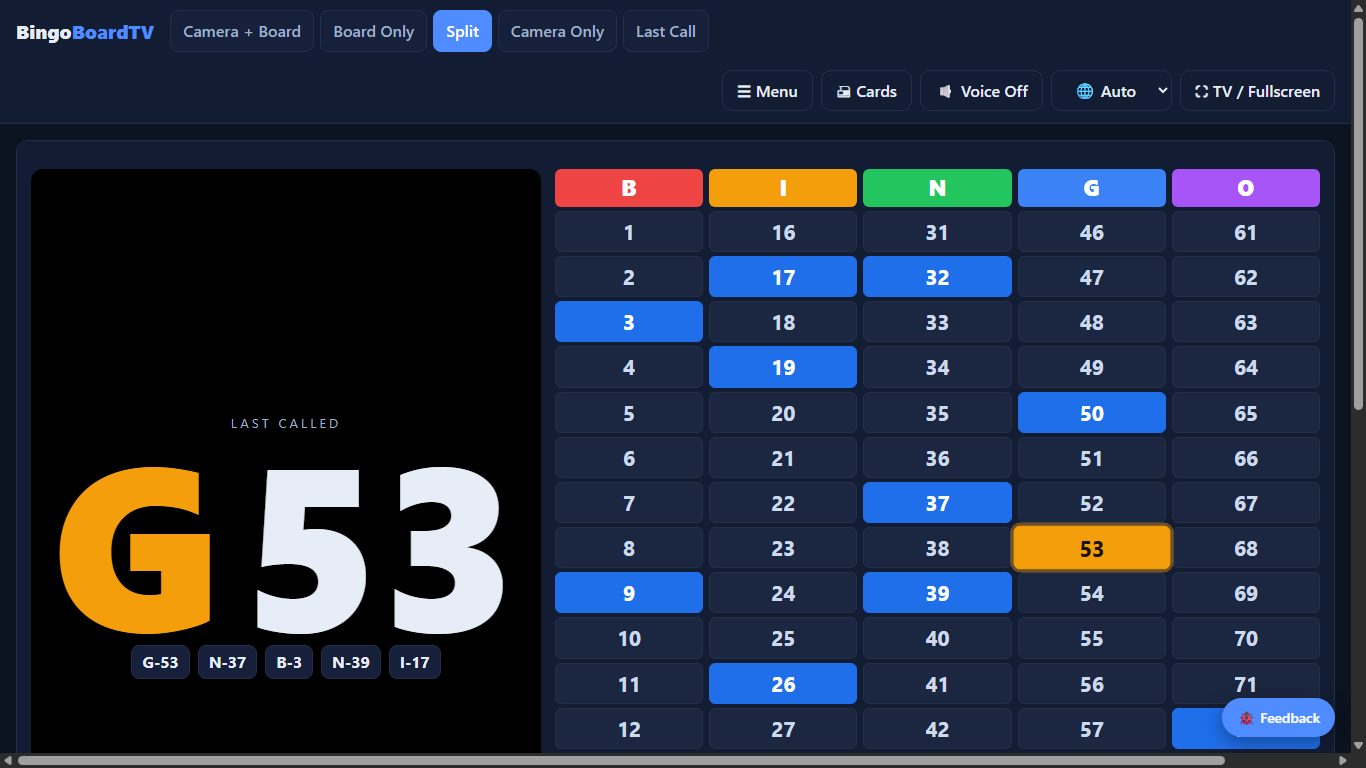
- The board automatically fits any screen — old 720p set, 4K TV, or projector. Nothing to configure. Pick a look up top: Board Only, Split (giant last call beside the board), or Last Call.
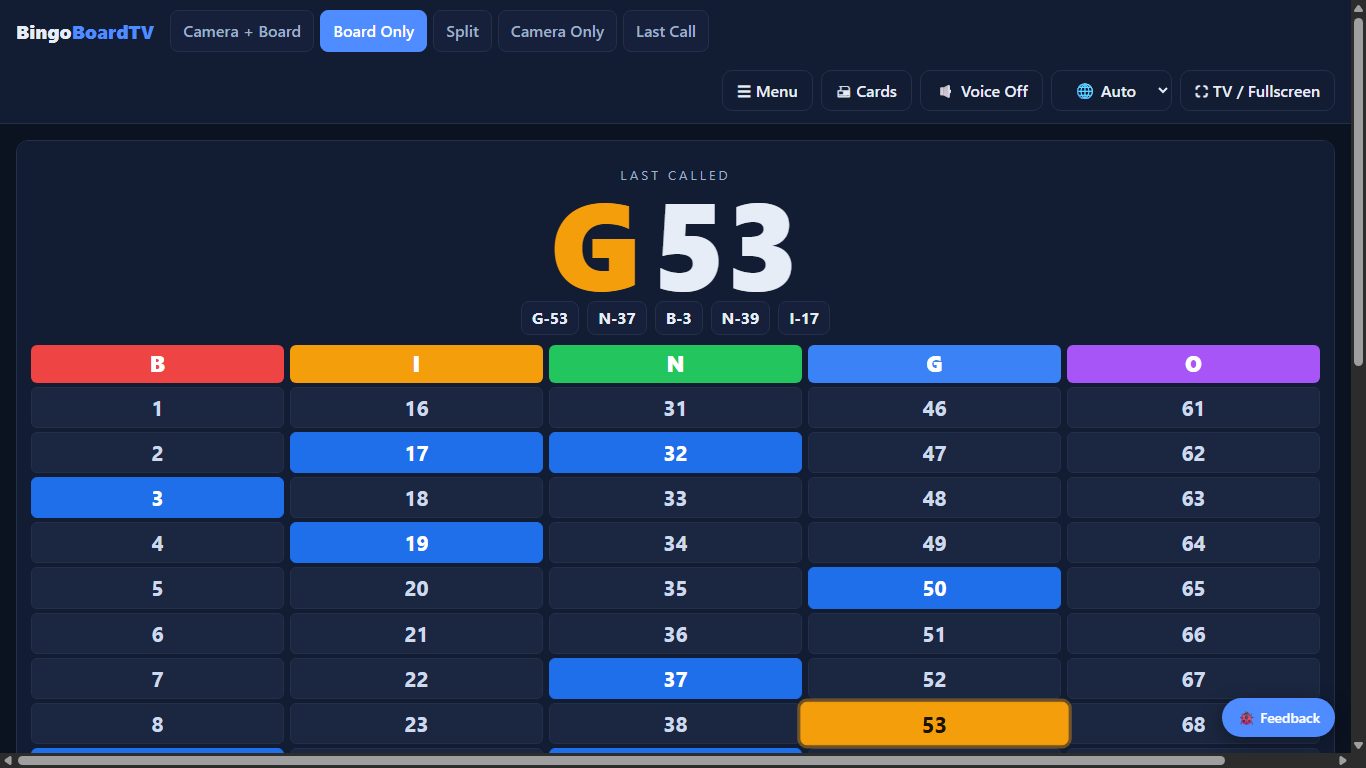
The Split view — big last call on one side, full board on the other:
2 · Call numbers (three ways)
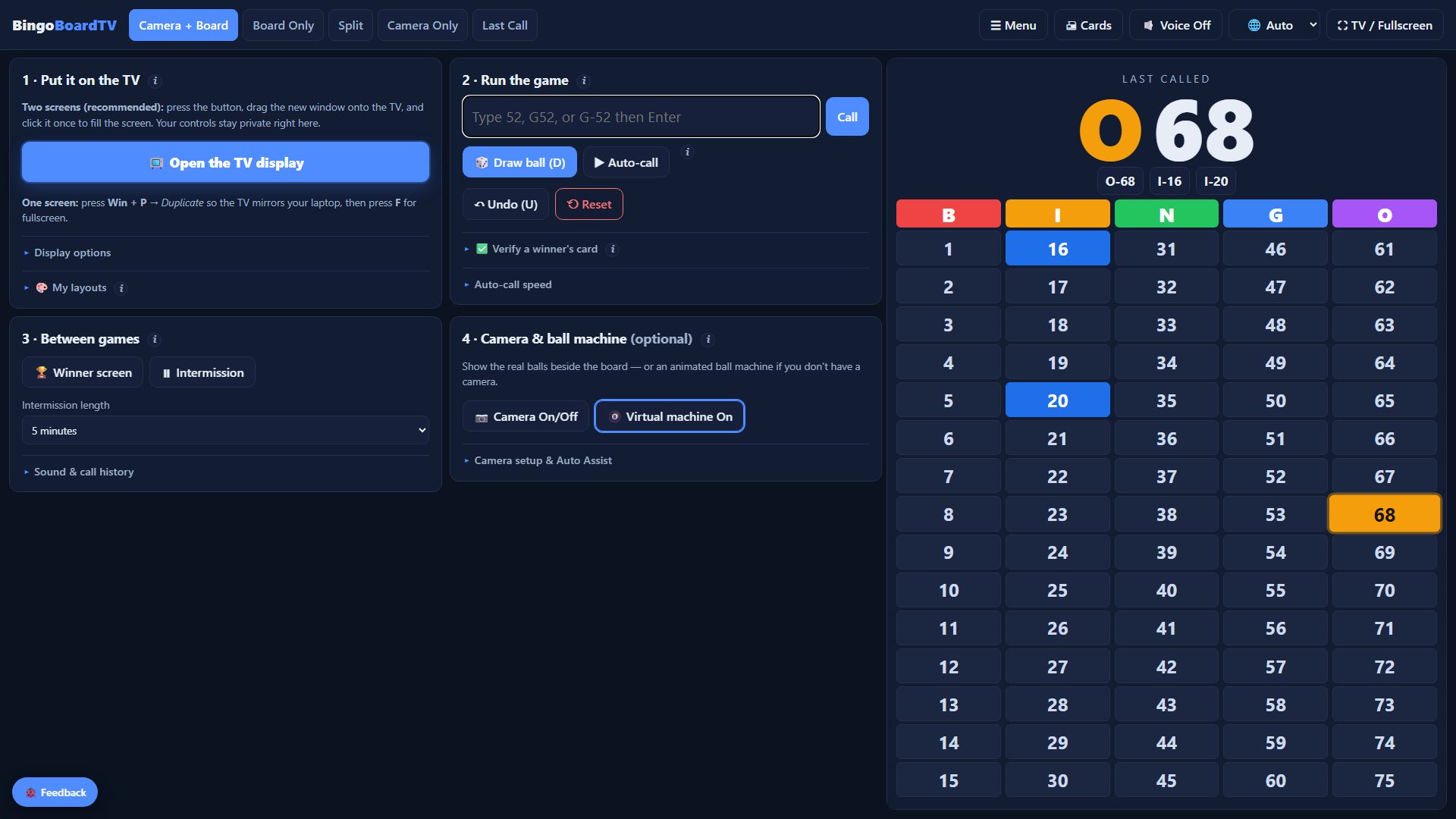
- Type it: enter
52,G52, orG-52and press Enter. - Click it: click any number on the board.
- Let it draw: press 🎲 Draw ball (or the D key) — or turn on Auto-call and it draws on a timer, hands-free.
Turn on 🔊 Voice and the board announces every call out loud — pick English or Español with the 🌐 selector (independent of the app language). Made a mistake? Undo. New game? Reset. Duplicate calls warn you first, and every call is saved automatically — refreshing never loses your game.
Your screen is a control room: numbered panels on the left, a live board reference on the right, everything within reach — while the audience only ever sees the clean TV display.
3 · The virtual ball machine
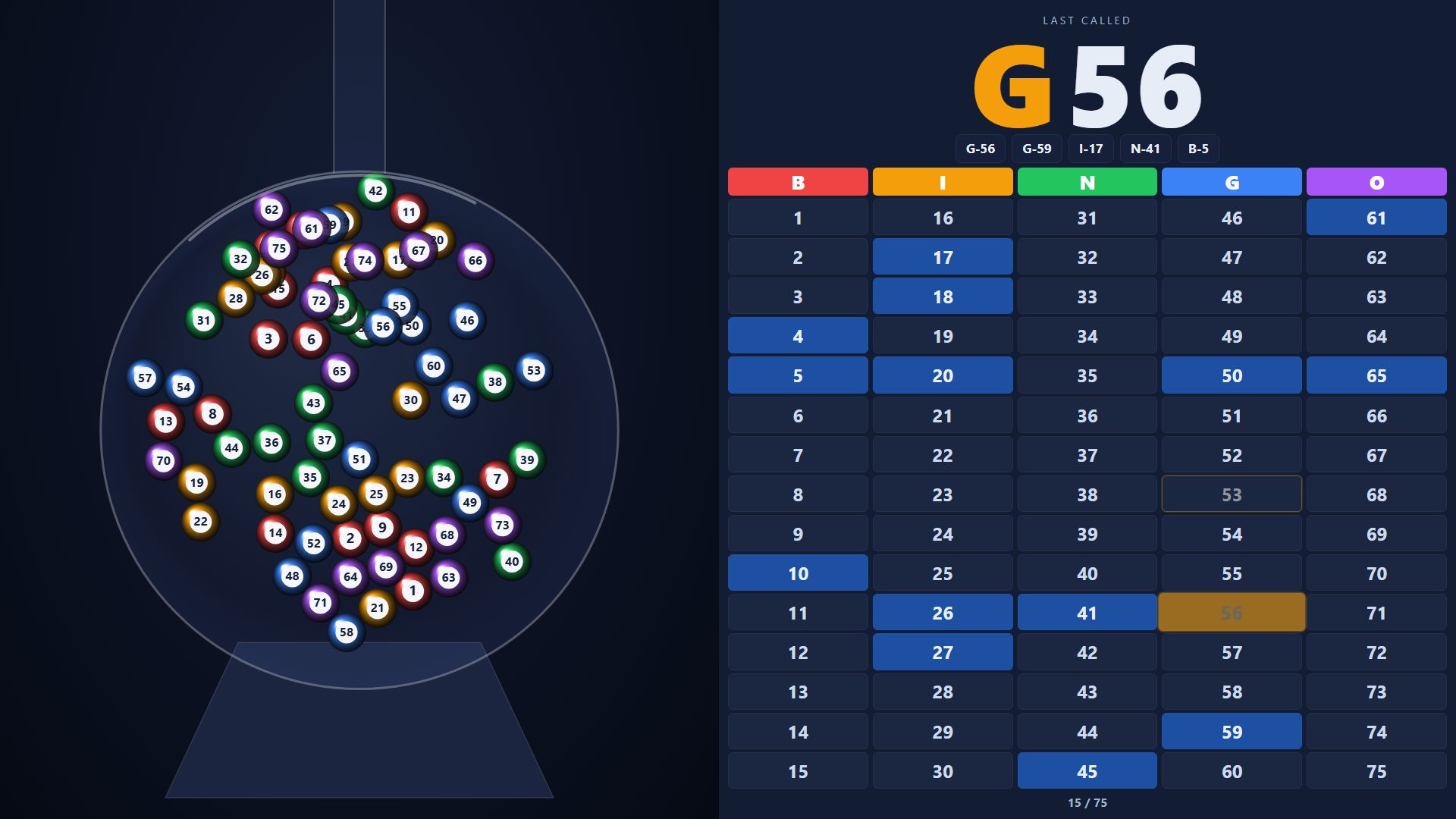
- No ball blower? In panel 4 · Camera & ball machine, press 🎱 Virtual machine.
- The TV now shows a glass globe of tumbling, numbered balls. Every call gets pulled up the tube and drops into a tray of the last five calls — the audience gets a show, not just a grid.
- Your control screen stays clean — the machine only plays on the audience display.
- Have a real blower? Press 📷 Camera On/Off instead to show the actual balls on a webcam. (Turning one on switches the other off.)
4 · Print free cards (and keep the Set code)
- Open Free cards — no signup needed, even for players.
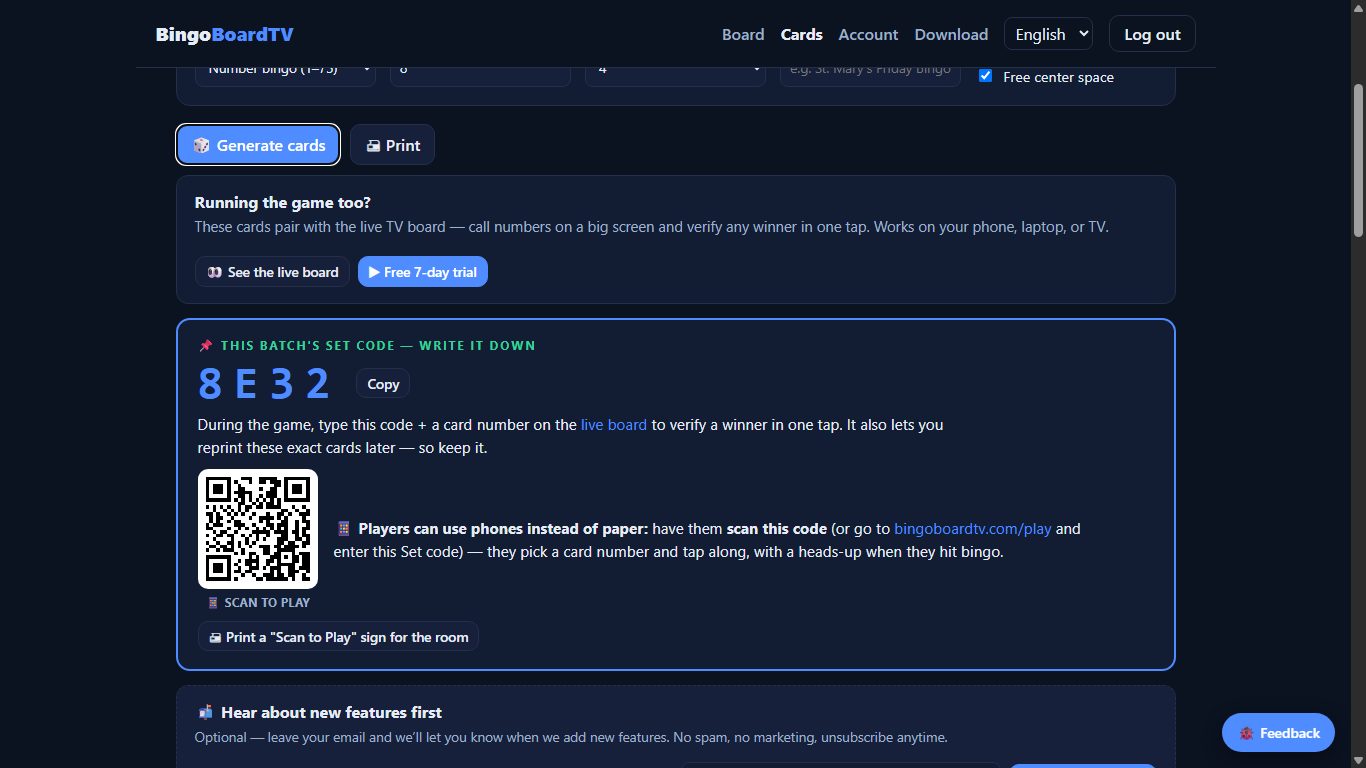
- Choose how many cards, cards per page, and an optional event title. Generate, then Print.
- Every batch gets a Set code (like
8E32) printed on each card — write it down. It lets you verify winners in one tap and reprint the exact same cards later.
5 · Let players use their phones instead of paper
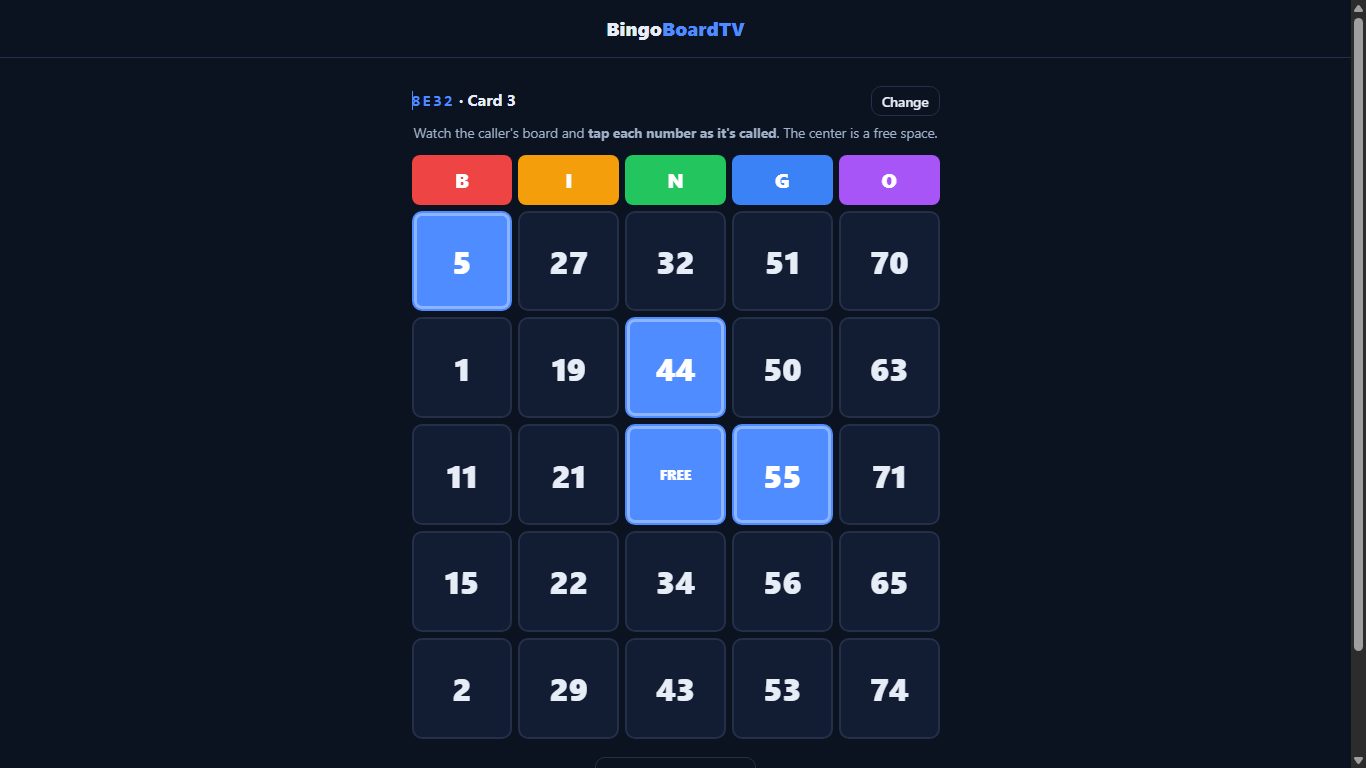
- After generating cards, the cards page shows a Scan to Play QR code — players scan it, or go to bingoboardtv.com/play and enter the game code. You can also print a big "Scan to Play" sign for the room, and the QR appears on the TV during intermission.
- Each player picks a different card number — same as grabbing a different paper card.
- They tap each number as it's called, and their phone quietly tells them when they've hit a line or bingo — then they yell it like always, and you verify on the board.
No app, no signup, nothing to install — it's just a web page.
6 · Verify a winner in one tap
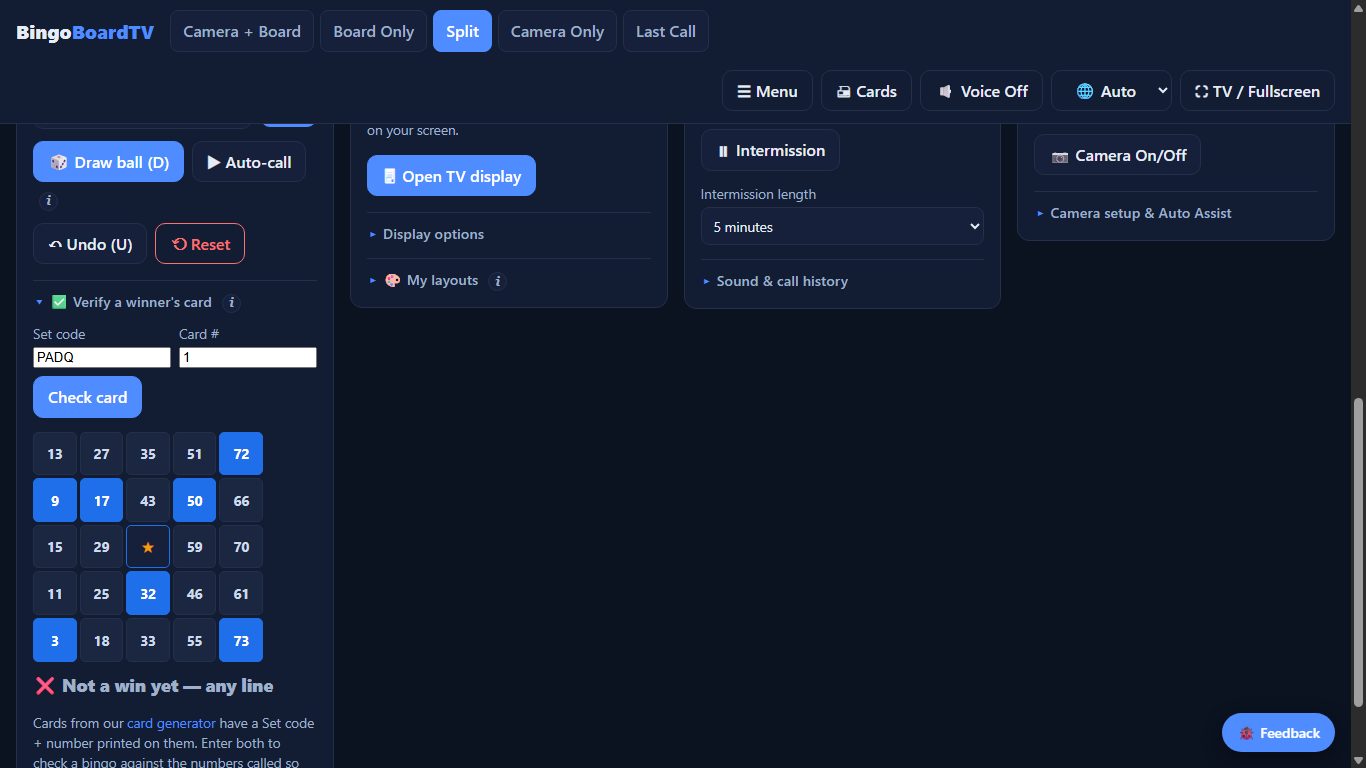
- Someone yells BINGO! — ask for the Set code + card number printed on their card (paper or phone).
- On the board, open ✅ Verify a winner's card, type both, and press Check card.
- The board rebuilds their exact card, highlights what's been called, and tells you win or not yet against the current pattern. No arguments, no squinting.
7 · Make the display yours
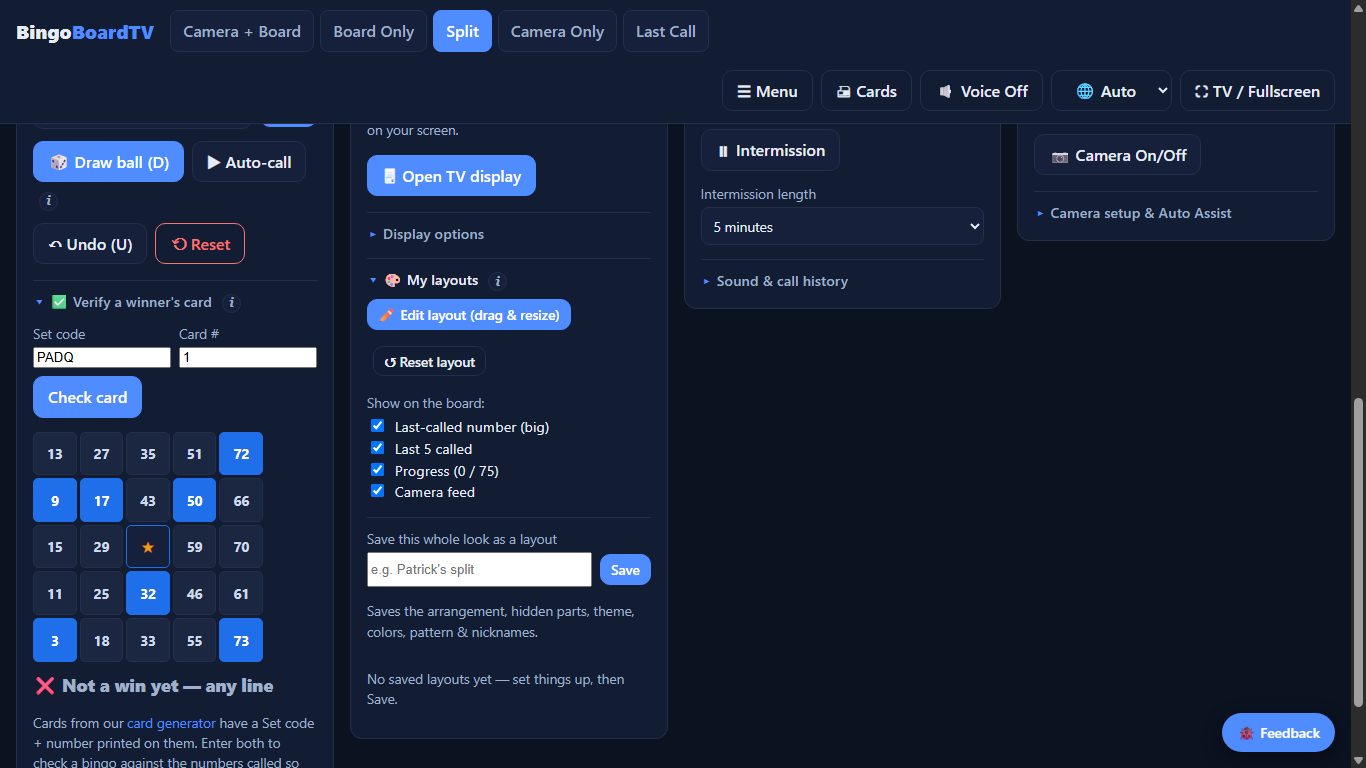
- Open 🎨 My layouts in the TV display panel.
- Edit layout — drag any part of the board around, resize it, and stack parts on top of each other (▲/▼ layer order, like Photoshop).
- Tick what to show: last-called number, last-5 ribbon, progress, camera feed.
- Save the arrangement with a name — it remembers theme, colors, pattern and all. Hit ↺ Reset layout anytime to go back to standard.
8 · Between games: winner screen & intermission
- 🏆 Winner screen throws a big celebration on the TV when someone wins.
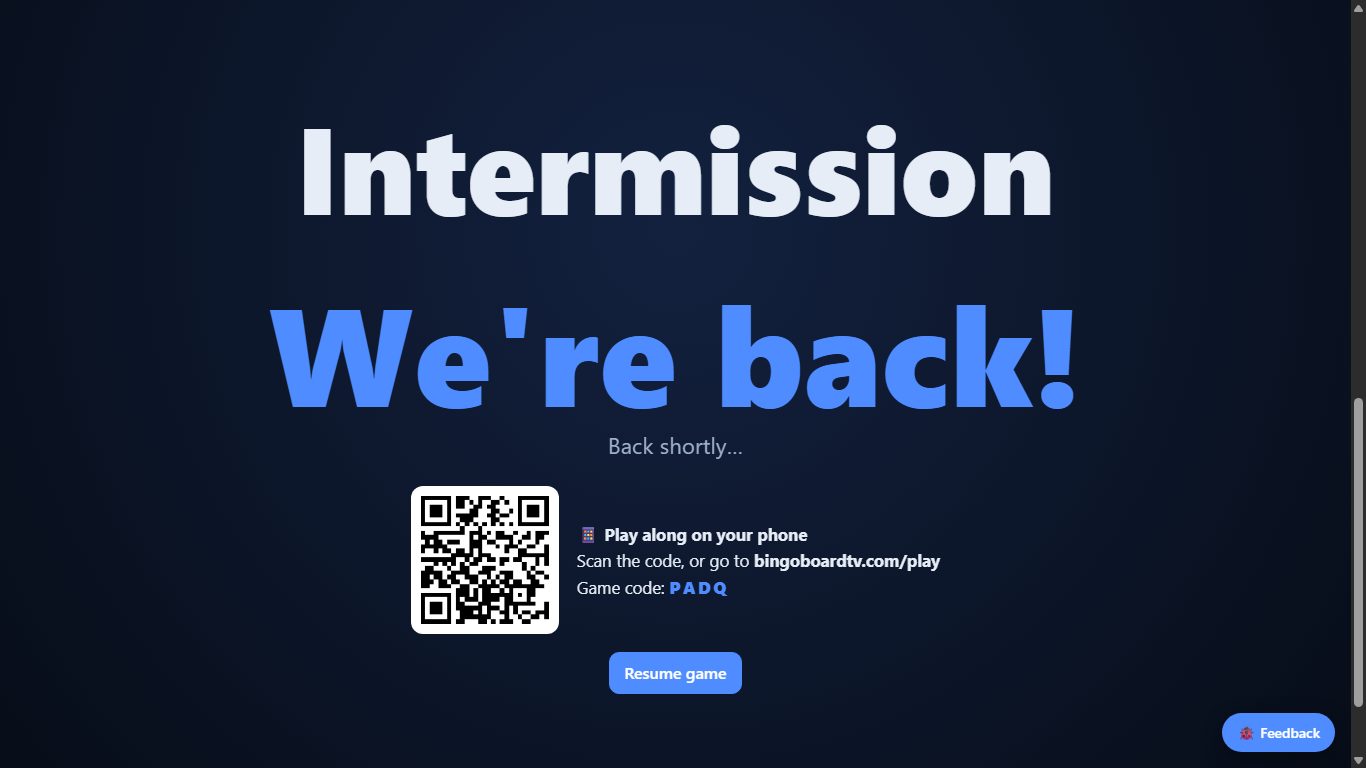
- ⏸ Intermission puts up a countdown break screen — pick the length, hit the button, go sell more cards.
- The intermission screen also shows the scan-to-play QR, so new players can join on their phones during the break.
9 · Music bingo & word bingo
- On Free cards, switch Bingo type to Music / word bingo.
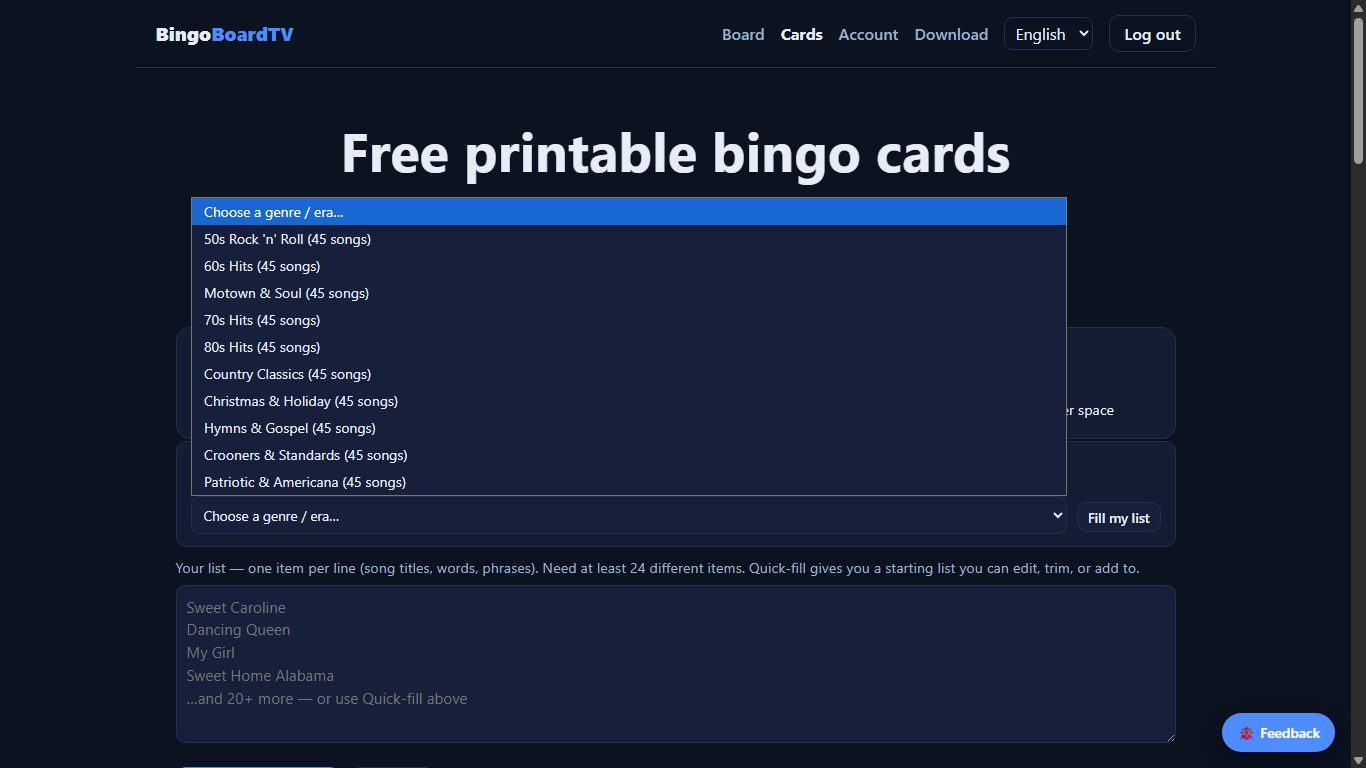
- Use 🎁 Quick-fill to grab a ready-made song list — ten lists, from 50s Rock 'n' Roll and Motown to Hymns & Gospel, Country and Christmas — or type your own list, one item per line. Edit it however you like.
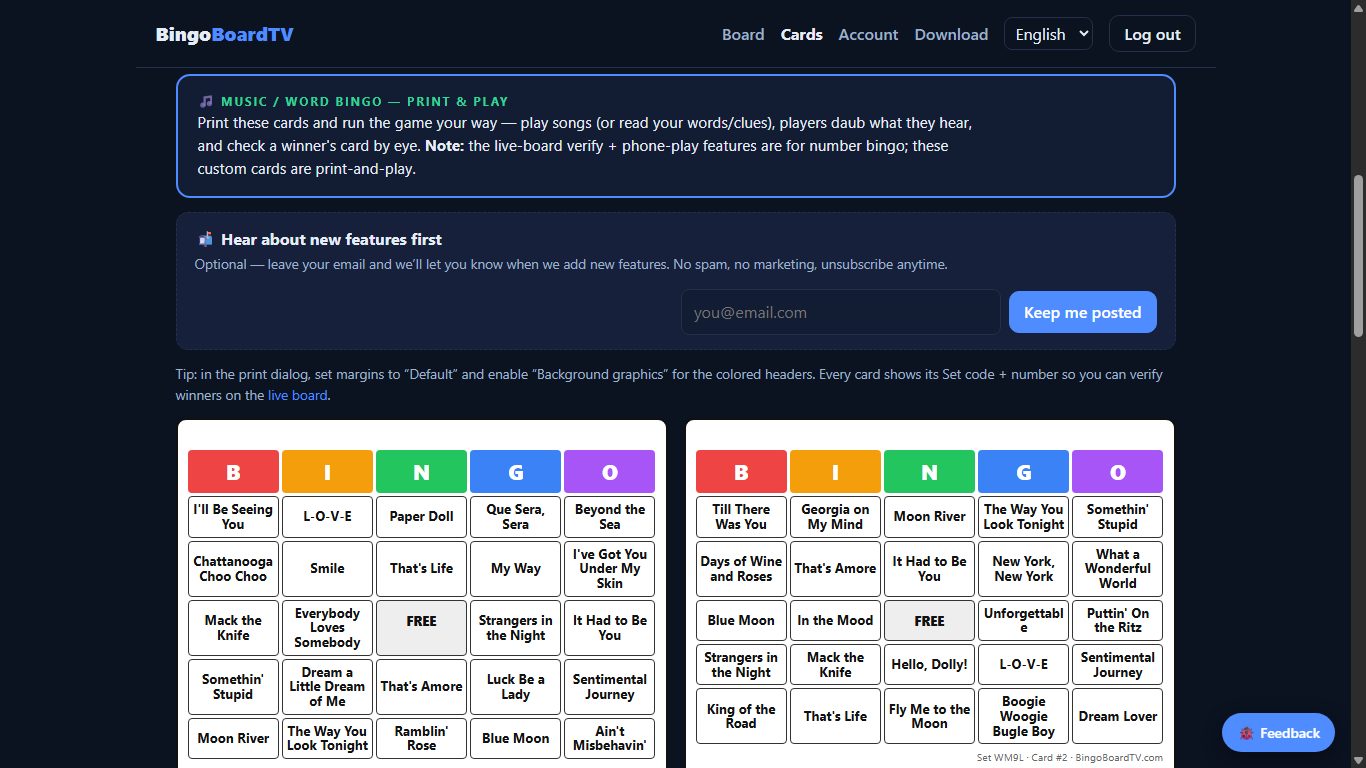
- Generate & print. Play the songs (or read your words), players daub what they hear, and you check a winner's card by eye — classic print-and-play.
Still stuck?
Check the Help page for quick answers, read the bingo night guides, or send us a note — a real person will reply, usually within one business day.